Haiku on RISC-V

Haiku OS, running on RISC-V

A hobby project: getting Haiku, the open-source successor to BeOS, to boot and actually be usable on 64-bit RISC-V under QEMU. Desktop, sound, networking, and a web browser with a JIT-compiled JavaScript engine. Everything below is free to download and takes about five minutes to try.

  • hrev60105 · riscv64
  • 4 harts SMP
  • 1920×1080
  • WebPositive + JIT
  • 12/12 checks green

715 MB raw disk image · boots with stock qemu-system-riscv64 · last build 22 September 2026

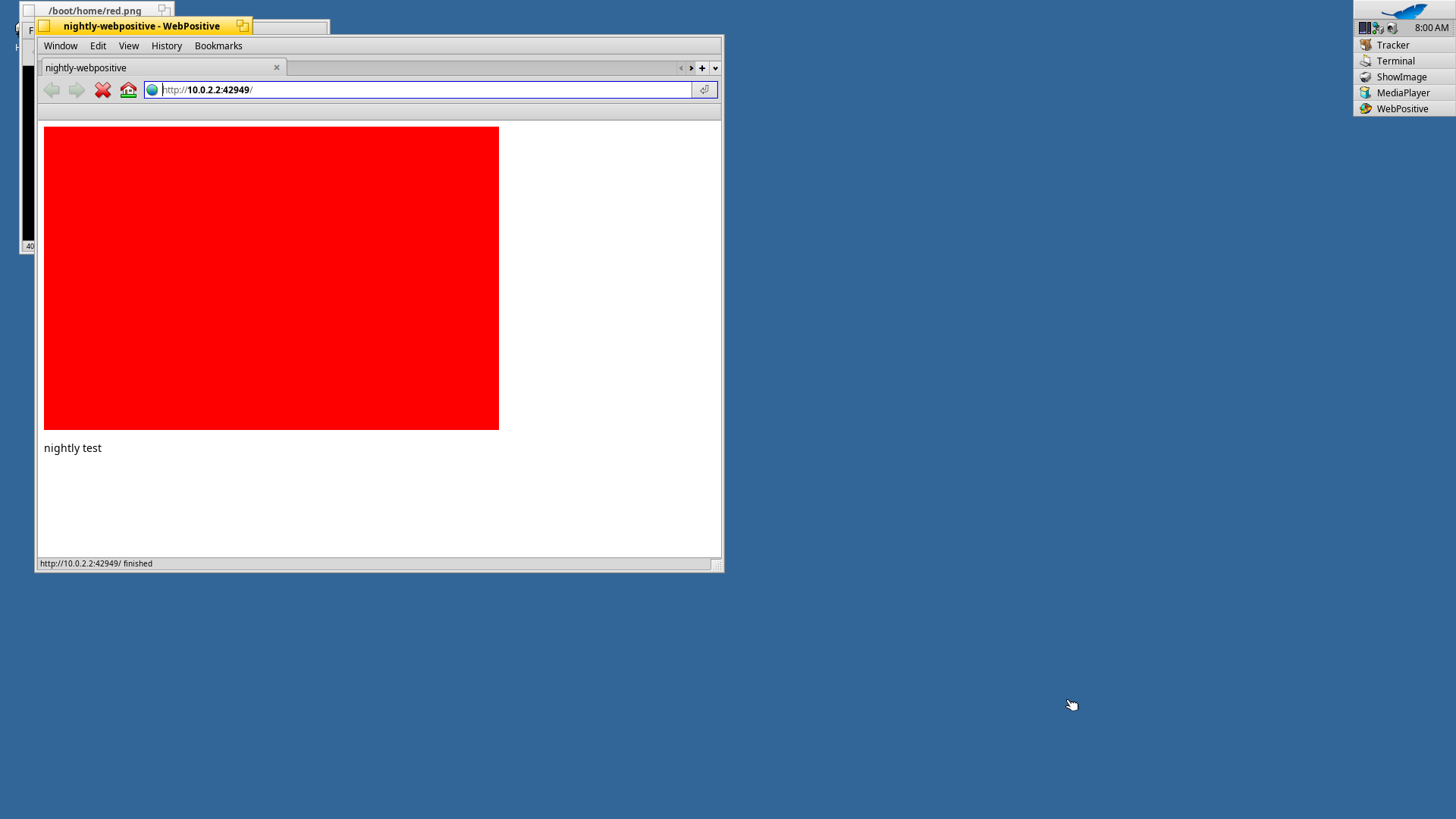
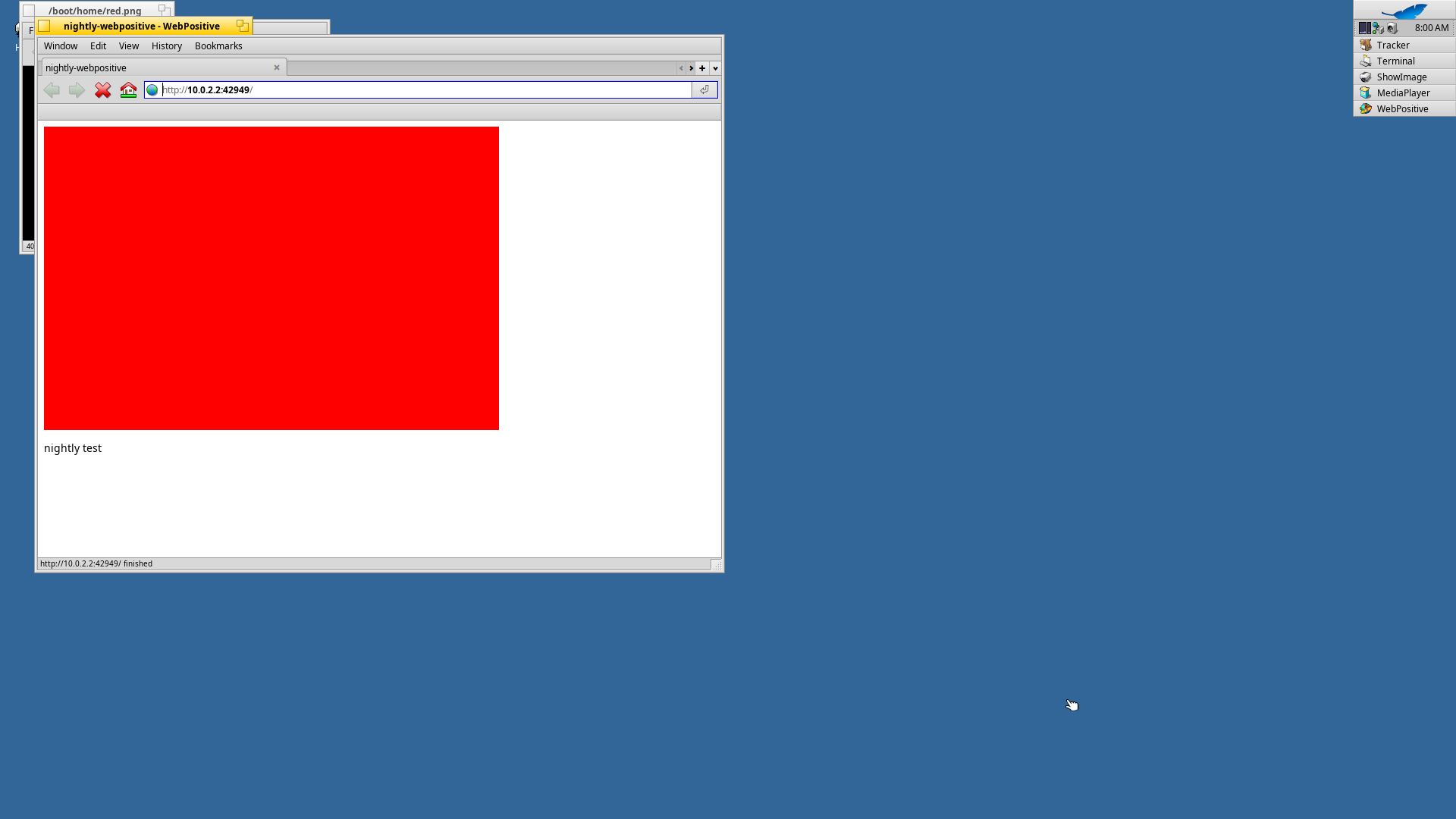
nightly-webpositive - WebPositive
The Haiku desktop running on RISC-V, with the WebPositive browser window open on a page it fetched over HTTP and rendered.

The short version

What this is

Haiku has had a RISC-V port for a while, but "it boots" and "you can use it" are very different claims. When this project started, the RISC-V build ran on one CPU, had no sound and no browser, came up to a black screen on every third boot, and believed the year was 1970. It now boots on four harts, plays audio, talks to the network, and browses the web. Twenty-three patches came out of getting there: ten against Haiku itself, thirteen against HaikuWebKit. Several fix bugs that are not RISC-V specific at all.

It is a hobby, done for fun and in the open. Everything it produced is on this page: the image, the packages, the patches, and the evidence that any of it works. It is not affiliated with the Haiku Project; it is built from their source, with gratitude.

In the image

What works

Every item below is checked automatically on each build by booting the image in QEMU, driving it through the virtual keyboard and mouse, and reading the result back out of the screen, the serial line, an audio capture and the host's web server log. The last two runs scored 12 of 12.

✓ Boots on 4 CPUs

SMP up to -smp 4, no faults, no crash loop in the EFI loader.

✓ Full-size desktop

virtio-gpu at 1920×1080, Tracker and Deskbar, the whole Haiku UI.

✓ Keyboard & mouse

USB xHCI keyboard and tablet: typing, pointing, clicking.

✓ Networking

virtio-net with DHCP, wget, curl, ping. HTTPS works once the clock is right.

✓ Sound

A virtio-sound driver written for this port: /dev/audio, the media kit, MediaPlayer playing a tone.

✓ A web browser

WebPositive on HaikuWebKit 1.9.30: HTML, CSS, images, and JavaScript on a real JIT.

✓ Desktop apps

Terminal, StyledEdit, ShowImage, MediaPlayer, plus the usual command line tools.

✓ A correct clock

Goldfish RTC support, so certificates validate instead of failing as "not yet valid".

✓ Package management

First-boot package activation without the double free that used to break it.

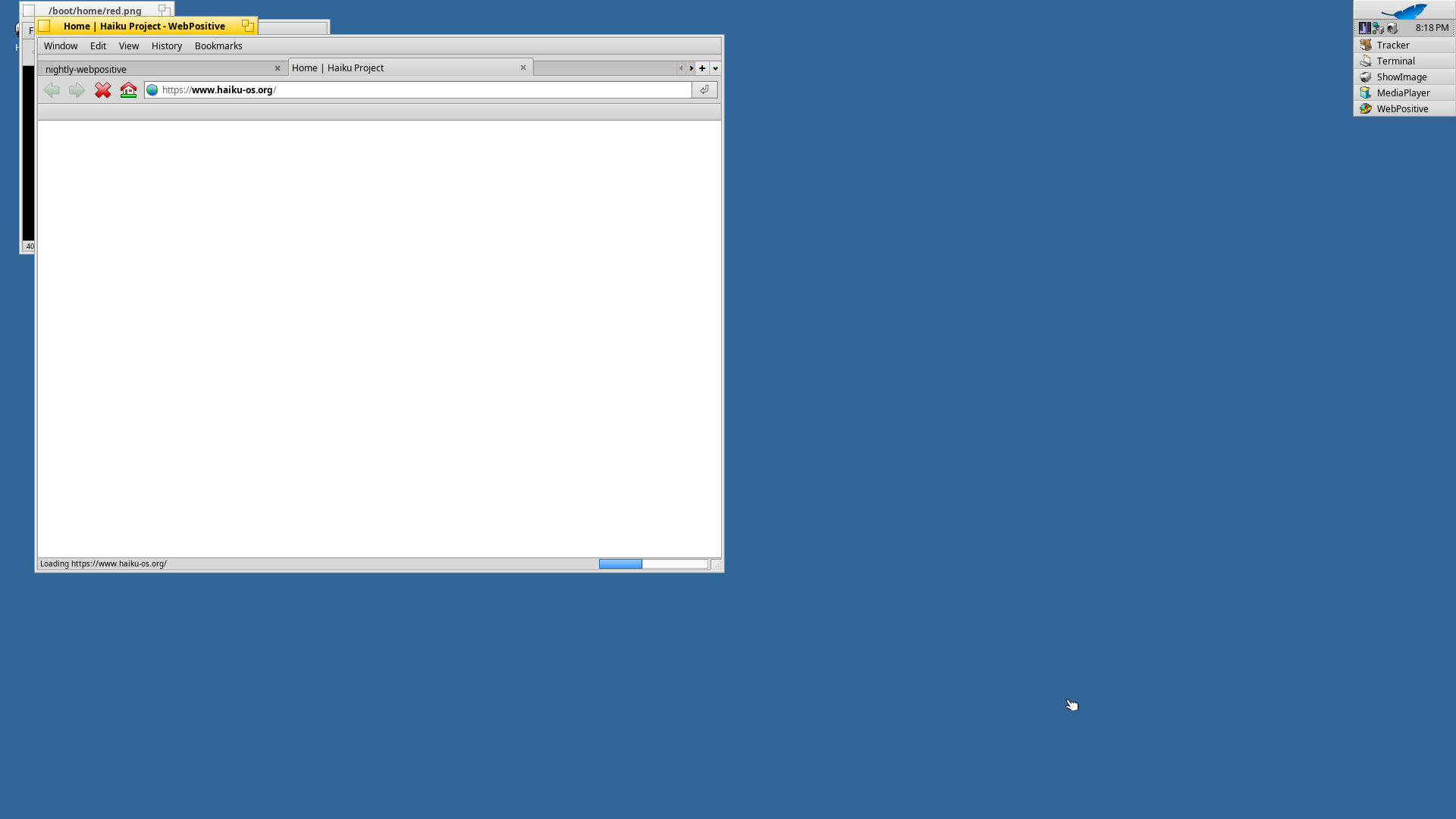
Home | Haiku Project - WebPositive
WebPositive on RISC-V loading https://www.haiku-os.org over TLS.
HTTPS: the browser opens haiku-os.org over TLS, which only became possible once the clock stopped saying 1970.
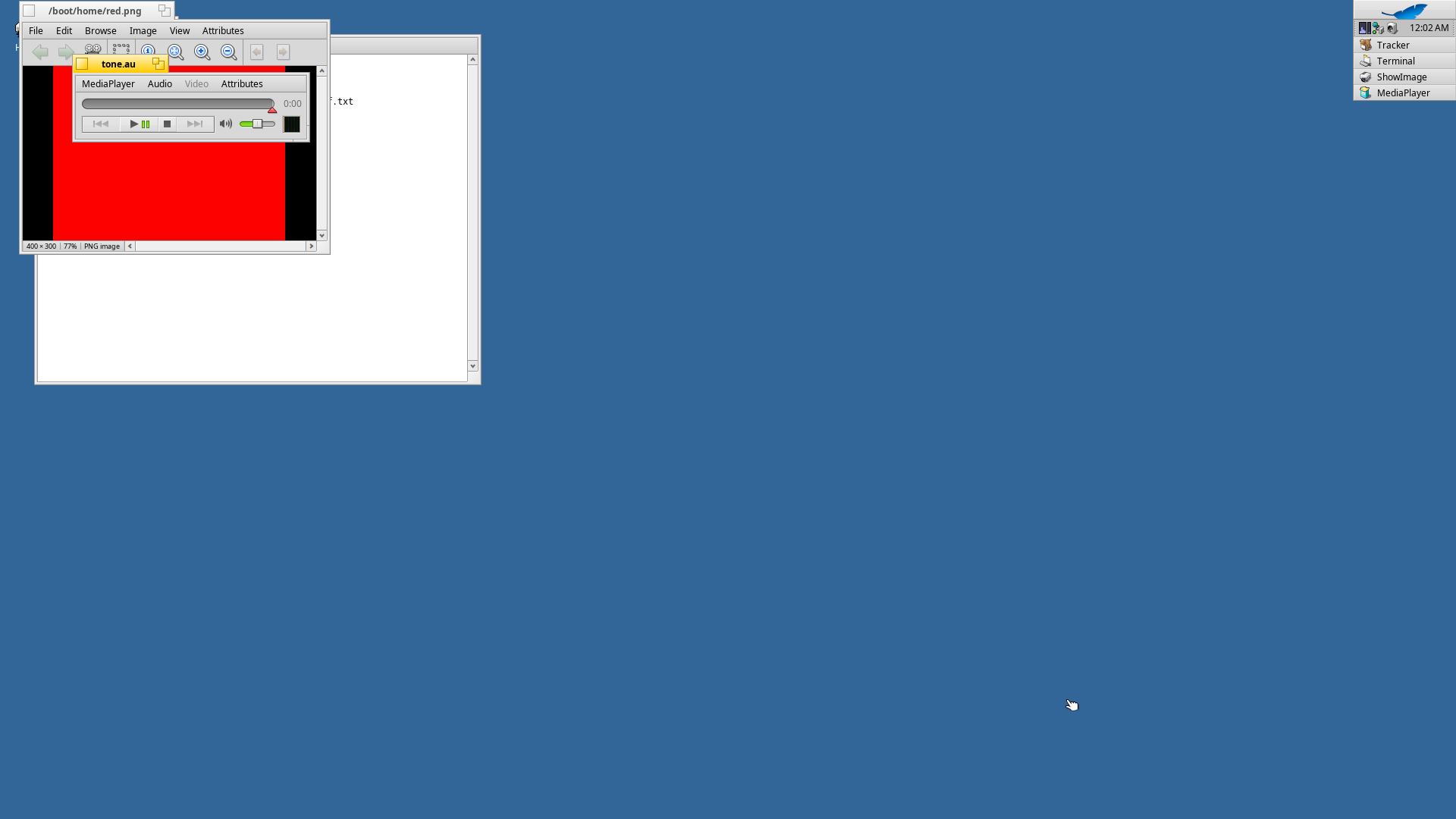
/boot/home/red.png - ShowImage
ShowImage, MediaPlayer and StyledEdit open together on the Haiku RISC-V desktop.
ShowImage, MediaPlayer and StyledEdit on one desktop, at full resolution, on emulated RISC-V hardware.

The interesting part

What was actually broken

Porting an operating system is mostly forensics. Below are the bugs that cost the most time, with what they looked like from outside and what was really going on. Some of them had been written off as "upstream limitations"; several are not RISC-V specific and affect every Haiku system.

Boot and kernel

Four CPUs crash-looped the boot loader

Symptom
-smp 4 died in a repeating Store/AMO fault inside the EFI loader. One, two, three, five, eight or sixteen harts were all fine. Only four.
Cause
The RISC-V crt0 does addi sp, sp, -24, leaving the stack 8 bytes off the 16-byte alignment the ABI requires. A 2 KB-aligned buffer further down then reserves 8 bytes too few, and disk DMA overwrites a saved register. The byte count of a filesystem read turns to garbage, and the next memcpy walks off a cliff. Stack depth depends on the device tree, which depends on the hart count: four harts landed on exactly the wrong offset.
Fix
Two characters: -24 → -32. The arm64 copy of the same file was already correct.

One boot in three came up black

Symptom
Roughly every third boot: a completely black window, the serial line silent after the last driver loaded, but the guest itself alive and idle.
Cause
Haiku's virtio bus manager suppresses notifications while a queue callback runs. The GPU callback releases a semaphore; the woken thread, on another hart, immediately submits the next command; the host completes it while notifications are still off, and nobody ever re-reads the used ring. The display thread then waits forever.
Fix
Re-check the used ring after re-enabling notifications and run the callback again if it moved. Twelve consecutive clean boots since. This one is generic: the same code serves block, network, sound and input devices on every architecture.

Every boot thought it was 1970

Symptom
The package manager, the software centre and wget all refused every HTTPS connection: "certificate not yet valid".
Cause
The RISC-V kernel read the wall clock from Spike's HTIF console, which QEMU's virt machine does not have. No clock, no date, no valid certificate.
Fix
Read the Goldfish RTC that the virt machine does provide: the loader finds it in the device tree, the kernel reads its two registers. TLS works from then on.

First boot corrupted its own package state

Symptom
Package activation on the very first boot could take the system down with it.
Cause
The package daemon freed its volume-state package list twice.
Fix
One ownership fix in package_daemon; first-boot activation has been reliable since.

Drivers and hardware

There was no sound, because there was no driver

Symptom
Silence. Not a bug so much as a hole: nothing upstream speaks VirtIO sound.
Cause & fix
Wrote one: a hmulti_audio driver for VirtIO 1.2 sound, plus the media kit in the image. Three traps cost a boot cycle each: the PCM feature field is a 32-bit little-endian value, not 64-bit (the struct size is unchanged, so nothing warns; it simply reports zero channels); kernel memory mapped for userland has user page-table entries on RISC-V, so a plain kernel memset faults silently and the ioctl hangs forever (use user_memcpy); and the media add-on picks the highest advertised sample rate, so 192 kHz had to be capped at 48 kHz before an emulated device could keep up.

/dev/audio was never published

Symptom
The new driver was never even probed.
Cause
Modern Haiku audio drivers are probed on demand through /dev/audio, which only exists if a legacy driver directory of that name exists. On x86 it does, by accident of history. On RISC-V it did not.
Fix
Add the directory to the image, and make the device manager publish legacy driver directories after boot.

The audio file reader had never compiled

Symptom
MediaPlayer could not open a plain .au file. The build logs said the plugin was in the image; it was not.
Cause
au_reader had never built on a 64-bit target at all, because of a signed/unsigned comparison that -Werror rejects. The plugin was also missing from the RISC-V image's package list.
Fix
One comparison, one package list entry.

The disk has to sit on the MMIO bus

Symptom
With a PCI virtio-blk disk the kernel boots and userland never sees the volume.
Cause
PCI virtio-blk does not reach userland on this revision of Haiku.
Fix
Not fixed, only worked around. The QEMU command below attaches the disk as virtio-blk-device on virtio-mmio-bus.0, which works reliably. Worth knowing before you improvise your own command line.

The browser and its JavaScript engine

The browser started, then vanished

Symptom
WebPositive appeared in the list of running programs for a moment and disappeared. No window, no message.
Cause
The WebKit library needed six shared libraries that were not in the image (XML, XSLT, SQLite, WOFF2, PSL and execinfo), and the package declared an empty dependency list, so nothing during image building ever noticed. The loader simply killed the program.
Fix
Declare the dependencies properly. The tempting shortcut, upgrading the pinned package family to satisfy the newer libraries, quietly breaks the rest of the build, because the build links against the upgraded development archive too. Checking the actual symbols with readelf and relaxing the imported requirements is the safe route.

Four things stood between JavaScript and a JIT

Symptom
The engine only ran its portable C interpreter: correct, and about eleven times too slow.
Cause
An experimental JIT tier with backends for x86-64 and arm64 only, failing the build with #error; with the optimizing tiers off, an inline-cache type still listed an alternative nobody handled; the RISC-V disassembler tripped a GCC 13 template bug; and the register accessors for RISC-V signal contexts were off by one: the kernel stores register x(i+1) in slot x[i], so what the engine read as the stack pointer was actually the global pointer.
Fix
Gate the experimental tier behind its own feature flag, make the alternative conditional, disable the disassembler, correct every accessor, and forward the RISC-V assembler headers, without which 58 rendering-engine objects refuse to compile.

Two "bugs" that were not bugs

The hang that was a dialog box

Symptom
The full image "stalls before first login": serial output stops and never resumes. The minimal image boots fine. Nine boots were spent on it.
Cause
It was the "Welcome!" first-boot dialog, patiently waiting for somebody to click Try it out. The desktop (Tracker, Deskbar, the login script) only starts after that click, and nothing is written to the serial line while it waits. The minimal image has no such dialog.
Lesson
When the screen is the only thing that knows, look at the screen.

The 640×480 desktop

Symptom
A 1920×1080 guest that insists on 640×480, but only under -display gtk.
Cause
QEMU's GTK front end writes its own window size into the virtual monitor's EDID, starting with a 640×480 placeholder, and Haiku's driver reads the EDID exactly once at start-up.
Fix
Use -display sdl, which only sends display information on a real resize.

Measured, not claimed

JavaScript got 11× faster

JavaScriptCore's baseline JIT now compiles code on RISC-V instead of interpreting it. The numbers below come from one boot of the published image, running the same script on both engines, with identical checksums on fixed-size work to prove the two are doing the same thing.

3268.9 ns
per iteration, interpreter
291.9 ns
per iteration, baseline JIT
11.2×
faster on a property-and-arithmetic loop

Free, no account, no tracking

Downloads

The first two files are all you need to boot the system. Everything else is the evidence and the source behind it. Verify what you downloaded with sha256sum -c SHA256SUMS.

FileSizeSHA-256
Everything you need to boot
The complete system: a bootable disk imagehaiku-nightly-hrev60105-riscv64-webpositive-2026-09-22.imageHaiku hrev60105 + 10 patches, with WebPositive and the JIT-enabled engine installed. Raw MMC image: EFI partition plus the BFS system volume. Boot a copy of it.715 MBbea856e05715a538d637f11628100c08b307e42de91ef2d56f8669da625da6e2
U-Boot for QEMU virtu-boot-riscv64-qemu.binThe firmware QEMU loads with -kernel. From the Haiku firmware repository.890 KBd90efc35d74c4d50d4d79fb2b48050bb463c56b51efa9f0dff86bf6f8821b766
Checksums for every file on this pageSHA256SUMS1 KB076a7d5fb9d2c3657e4015f45fc7eaf53be097029a39cf108f6d02fa782a297d
README: the full release notesREADME-webpositive-jit-2026-09-22.mdWhat changed, how to run it, how the browser engine was cross-built, and the complete patch list.14 KB64858cd560b65ca925e035503496b6115b65a76c52d8ed27198f9a10019e8cbd
Proof it works
Two full test runs on this exact imagecapstone-nightly-reports-2026-09-22.txt12 of 12 checks each: boot, display, input, network, audio, HTTP, Terminal, StyledEdit, ShowImage, MediaPlayer and the browser executing JavaScript.3 KB5c8f5cc8d6de8713622e826e4008ed463469fd64a4b4556dff12cfff227b452d
Interpreter vs. JIT, measured in the guestjit-benchmark-2026-09-22.txtBoth engines on one boot, with matching checksums on fixed-size work.1 KB06a7cc9a09699f13246f8a7dc764813ae37dec8007b14b1b45b60925603b078a
Screenshot: the browser running on the JIT enginewebpositive-riscv64-jit-2026-09-22.png44 KB997f50dddf9aac8e395f41c397b1c83d060a492ec89baa6679f4edcbde7cb658
The code
Haiku patches (10, git format-patch)haiku-riscv64-fixes-patches-2026-09-22.tar.gzThe boot, virtio, audio, clock and packaging fixes described above. Applies cleanly onto Haiku master.21 KB523dc869df0a998033907e18d35a6801360a859c6ba28e0853f2ec807787842e
HaikuWebKit patches (13, git format-patch)haikuwebkit-riscv64-patches-2026-09-22.tar.gzThe RISC-V build and JIT work. Applies cleanly onto the HaikuWebKit-1.9.30 tag.11 KBf88cda08c1e393b1f0bf01cd8fa91c2636d326ea67f45e7093f27d33ff1b4b73
Package: the browser enginehaikuwebkit-1.9.30-3-riscv64.hpkgJavaScriptCore with the baseline JIT, WebKitLegacy and the jsc shell. Installable on any compatible Haiku riscv64 system.42 MB8aa83c00d45f812b699a1ef343cd45c976959653c2c86862bbc6e9ad256b4257
Package: engine development fileshaikuwebkit_devel-1.9.30-3-riscv64.hpkg9 KB805faecab8c1d860a26eb4634d55671e2a22f32c7571d4bf08e9752198d62819

About five minutes

Run it in QEMU

No RISC-V hardware needed: QEMU emulates it. This is tested on Ubuntu 24.04, and works the same on any Linux with a recent QEMU. macOS and Windows builds of qemu-system-riscv64 should work too, with the audio and display options adjusted.

  1. Install QEMU. On Debian or Ubuntu: sudo apt install qemu-system-misc. That package contains qemu-system-riscv64 with OpenSBI bundled.
  2. Download the disk image and u-boot-riscv64-qemu.bin into the same directory (plus SHA256SUMS if you want to verify: sha256sum -c SHA256SUMS).
  3. Copy the image and boot the copy: cp haiku-nightly-hrev60105-riscv64-webpositive-2026-09-22.image mine.image
  4. Start it with the command below. First boot takes about a minute before anything appears.
qemu-system-riscv64 -M virt -cpu rv64 -m 4G -smp 4 -accel tcg \
  -bios default -kernel u-boot-riscv64-qemu.bin \
  -drive file=mine.image,format=raw,if=none,id=x0 \
  -device virtio-blk-device,drive=x0,bus=virtio-mmio-bus.0 \
  -device virtio-gpu-pci,xres=1920,yres=1080 \
  -device qemu-xhci -device usb-kbd -device usb-tablet \
  -netdev user,id=net0 -device virtio-net-device,netdev=net0 \
  -audiodev pa,id=snd0 -device virtio-sound-pci,audiodev=snd0 \
  -display sdl -serial stdio

If you want to build it yourself

Build notes

The system

Haiku master at hrev60105 with the ten patches applied, built with Haiku's own cross-tools and jam -q -sHAIKU_REVISION=hrev60105 @nightly-mmc. An incremental image rebuild takes about five minutes; a full one considerably longer.

The browser engine

HaikuWebKit 1.9.30 cross-compiled on the host with the Haiku RISC-V GCC 13.2 toolchain and a sysroot assembled from the built packages. CMake with -DPORT=Haiku -DENABLE_JIT=ON -DENABLE_C_LOOP=OFF -DENABLE_DFG_JIT=OFF, WebAssembly and the AVIF/JPEG-XL codecs off, WebKitLegacy on.

Use all your cores

The engine links in about 25 minutes at -j44 and takes many hours at -j1. Obvious in hindsight; it cost several wasted builds.

Full instructions

The release README has the exact commands, the sysroot contents, the packaging steps and the complete, annotated patch list.


Known gaps